The simple, smart second brain.
Year
2025
Shipped?
Yes
Status
Actively Building
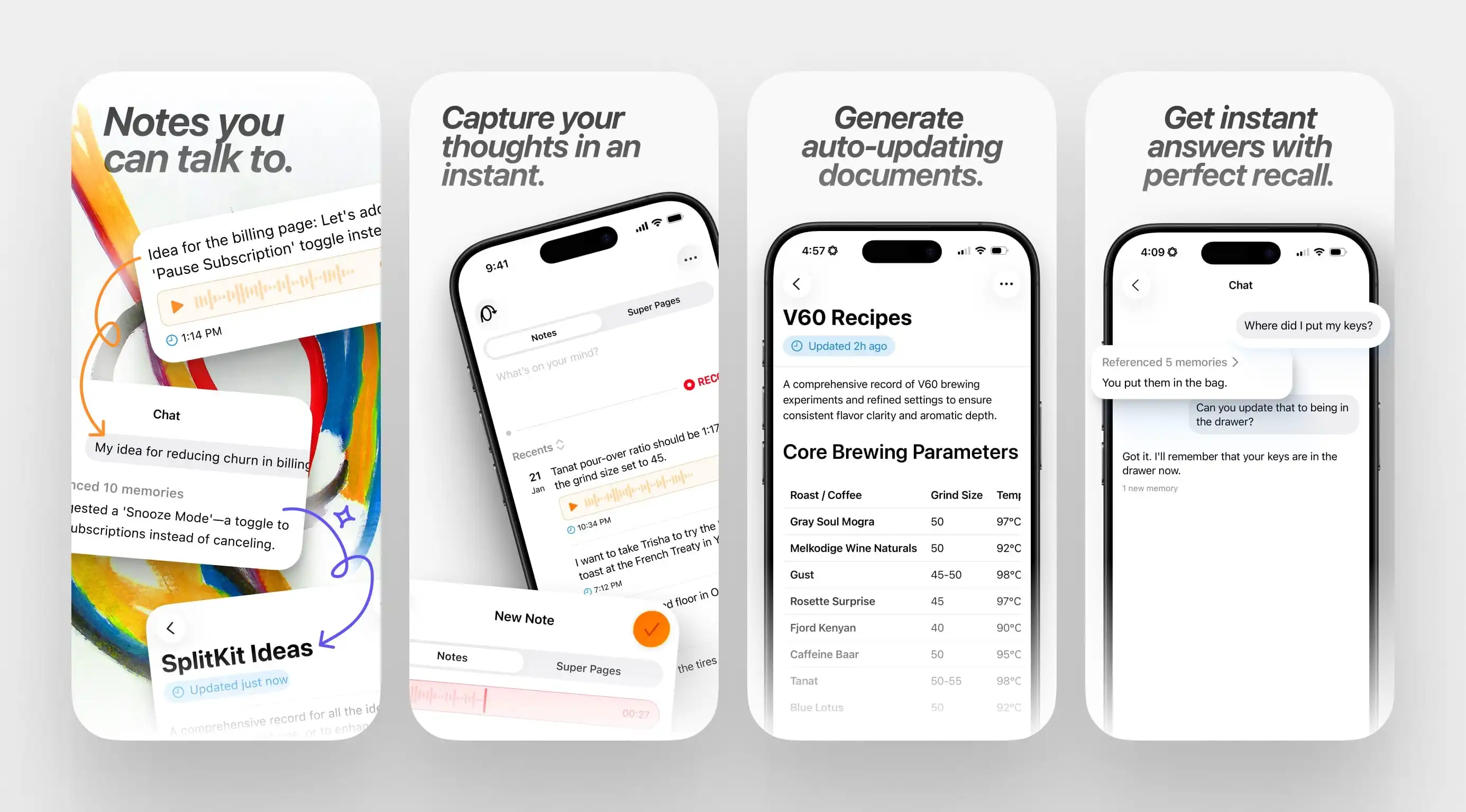
I've tried dozens of note-taking apps, and I keep running into the same problem. Simple apps like Apple Notes become graveyards where ideas go to die. Complex apps like Notion turn organizing into a second job. I wanted something that just... worked.
The Wrong Assumption
My first attempt with Brainbits was based on a naive idea: people don't want to organize. Just let them dump everything—thoughts, ideas, random snippets—into one place. No folders, no tags, no structure. The AI would find it later when they needed it.
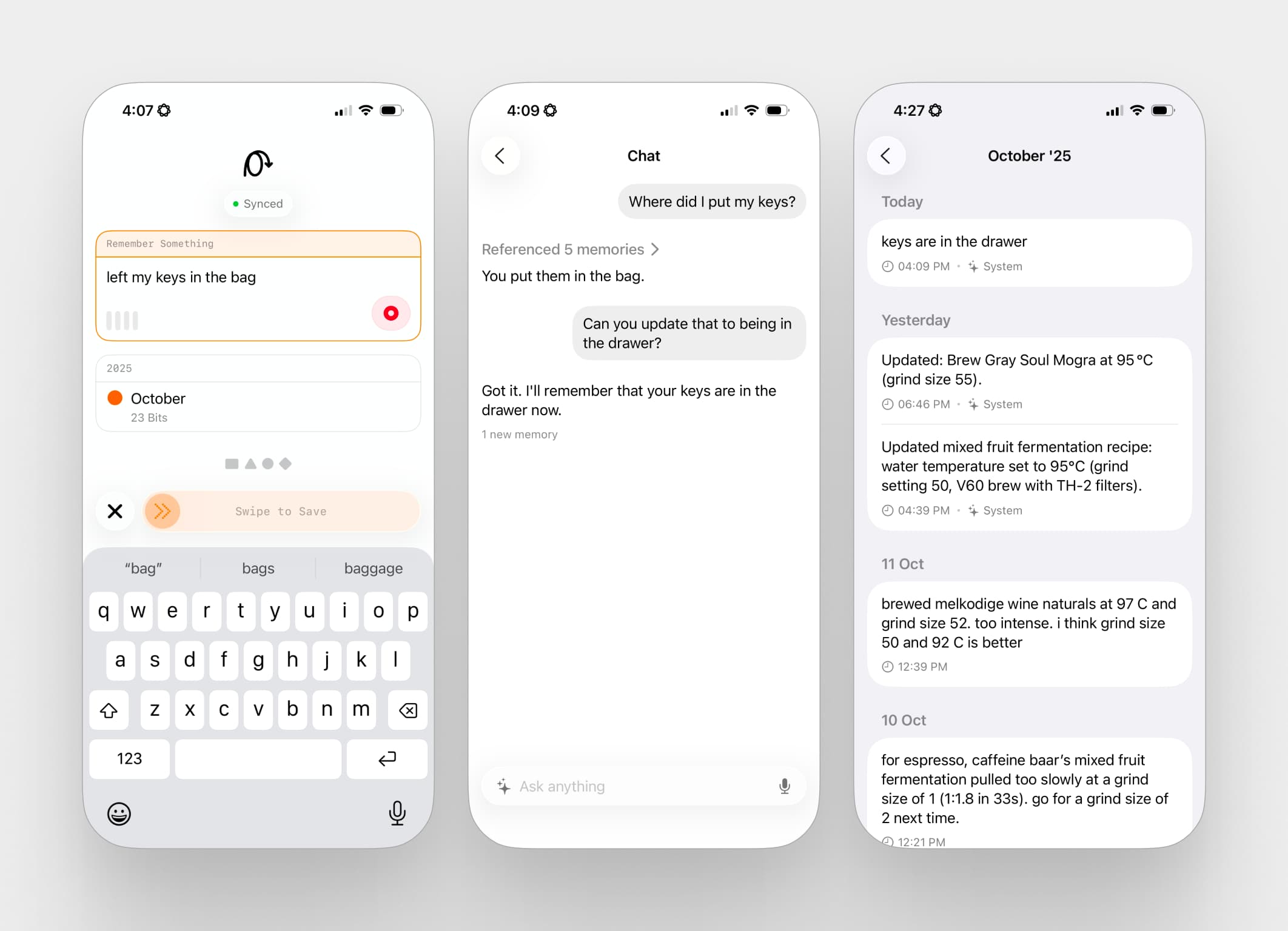
So I built exactly that. One text field. Type or dictate, hit save, done. Notes went into a timeline you couldn't edit or delete. I added semantic search with vector embeddings because I thought searching by concept instead of keyword would solve the retrieval problem.
I was wrong.
People loved how easy it was to capture notes. They'd dump dozens of thoughts into the app. But then they'd never look at them again. The "search later" promise turned out to be a fantasy. Later never came. I had built yet another digital junk drawer.
Learning What People Actually Need
The problem was obvious in hindsight: I had made storage effortless but retrieval hard. Nobody wants a second brain that just remembers things. They want to actually use what they captured.
I scrapped the "search later" approach and tried something different. Instead of making users dig through their notes, what if the app surfaced relevant information automatically?
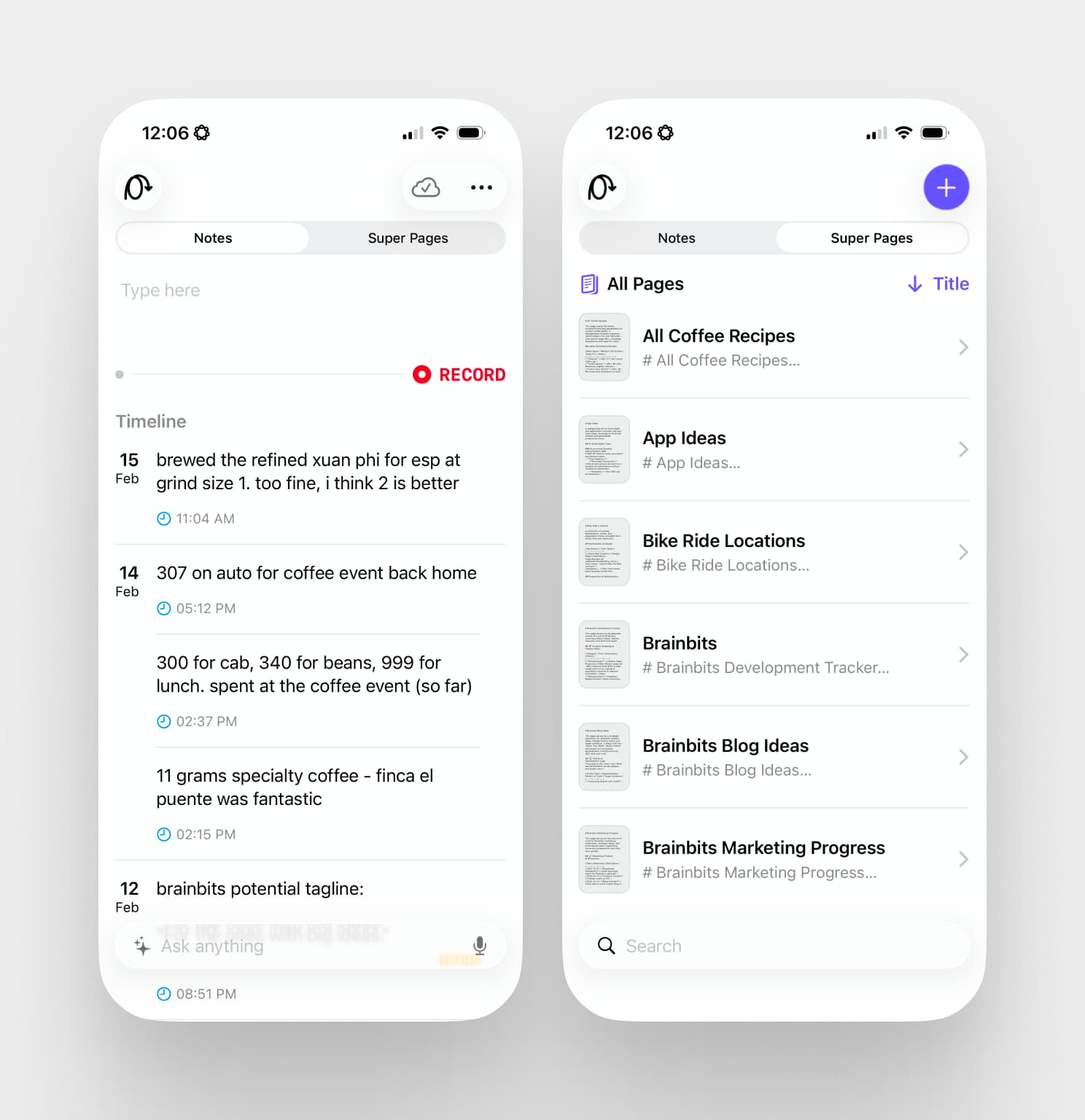
I called it Super Pages. You'd describe a project in plain language—"My Research" or "Fitness Progress"—and the app would automatically keep that document updated with relevant notes. No manual organizing, no digging through timelines. Your project docs would just... stay current.
Designing the Super Page Creation Flow
Creating a Super Page presented a unique UX challenge. I initially thought about letting users just defining a single description for the page, and generating off of that. But one-shotting a Super Page would depend entirely on the AI model getting the user's requirements perfectly right on the first try. That meant heavy prompt engineering and it wouldn't handle edge cases where someone asked for something vague.
A full chat conversation felt too open-ended. Users would get lost in the back-and-forth, and the conversation could drift away from the actual goal: creating the page.
I needed something structured but not rigid. Something that guided users toward completion without feeling like a form.
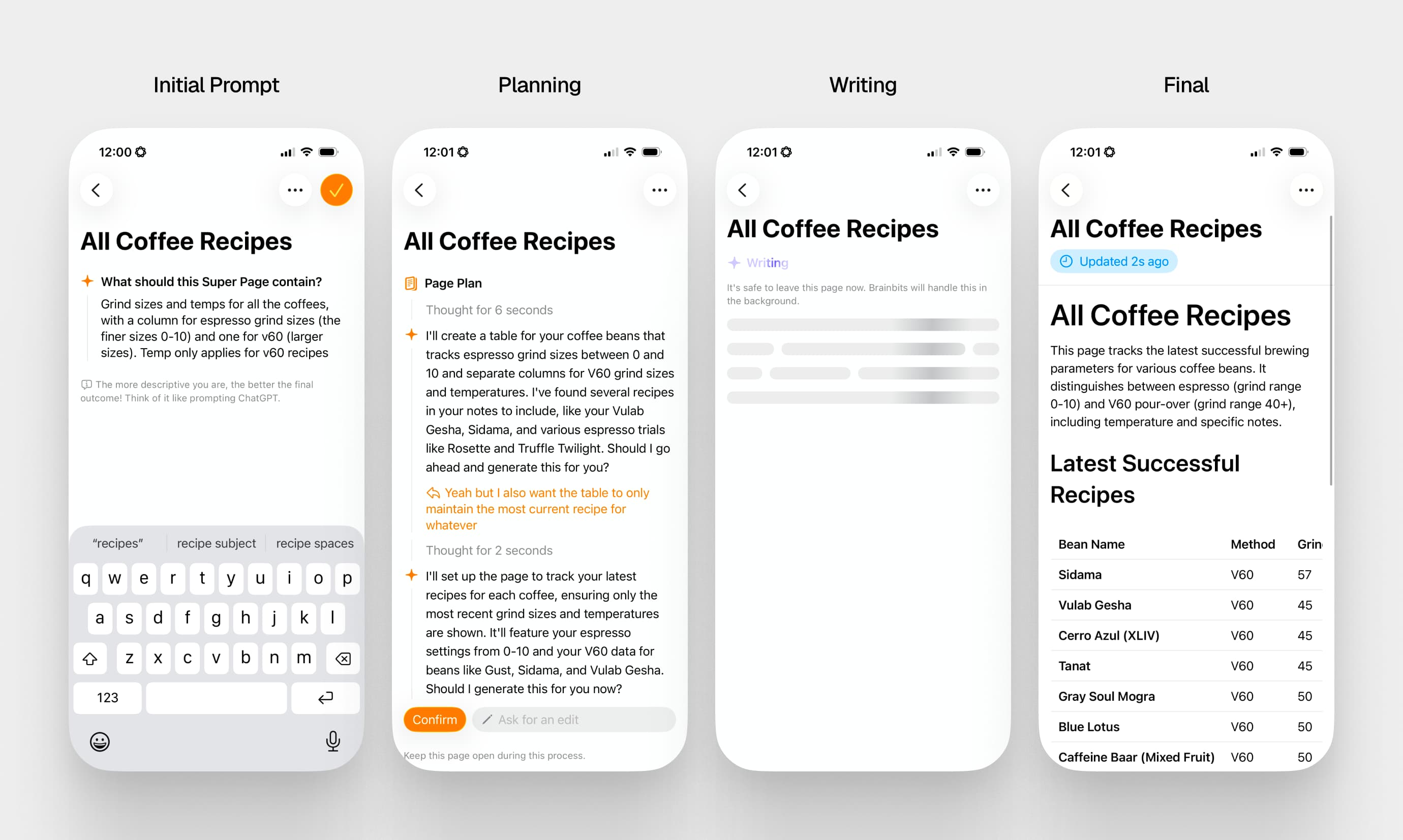
The solution was a draft-and-edit experience. Instead of a conversation, the system generates a first draft plan based on the initial description. Then users can ask for specific edits—"add a section for weekly goals," "focus on the technical details." This allows for interaction and refinement, but within the structure of getting the page created. It's the right set of constraints: enough freedom to iterate, enough structure to stay on track.
The Interface Was the Easy Part
I intentionally only used only native SwiftUI components, no custom anything. The goal was to make the app feel like it came with the phone—so boring it became invisible.
The complexity had to live in the background. I split the system into two parts: raw notes (episodic memory) and synthesized project states (working memory). When you saved a note, it would find relevant Super Pages and update them within ten seconds.
Getting Memory to Work Consistently
This part's a little technical!
The foundation of a great memory system involves two things - consistency and thoroughness. There were some major issues with the initial memory system:
- It was rigid, and highly dependent on structured outputs from the LLM - this resulted in certain edge cases being fully missed, and constant decoding failures from hallucinated outputs.
- Not thorough - if my fixed sequence missed something, there was no way for the model to recover from it. This was especially problemantic in the chat feature, where the model would make one query, not see anything, and just say it couldn't find anything.
I had to make a new system that was more flexible, and allowed the model to recover from its own mistakes. The new system:
- Replaced structured outputs with tool calls and a ReAct agent - this allowed the tool to throw any errors on its own, and let the model recover from it.
- Implemented advanced RAG techniques like HyDE, semantic clustering, reranking and FTS - this allowed the model to search deeper into its own knowledge base. It also meant less junk going into each turn, meaning less token cost!
The Real Lesson
The first version of Brainbits failed because I solved the wrong problem. I made capturing easy but neglected the hard part—getting value back out.
The second version worked better not because it was more complex, but because it met users where they actually were. They weren't searching their notes because that took effort. But they would open a project document if it was already there, already updated, ready to go.